

8. Connect resources (binding)
When an app uses a database or storage, you do not copy connection details by hand. You just choose what to attach it to in 의존성 연결 (Dependency connections) on the screen.
Once connected, it arrives as environment variables
One set of connection details for the connected resource (address · port · account · password · name) is passed into the app as environment variables.
The variable names are already filled in with standard names. That is what 기본값 자동 (Auto default) on the screen means — there is nothing to configure; just read those names in your code.
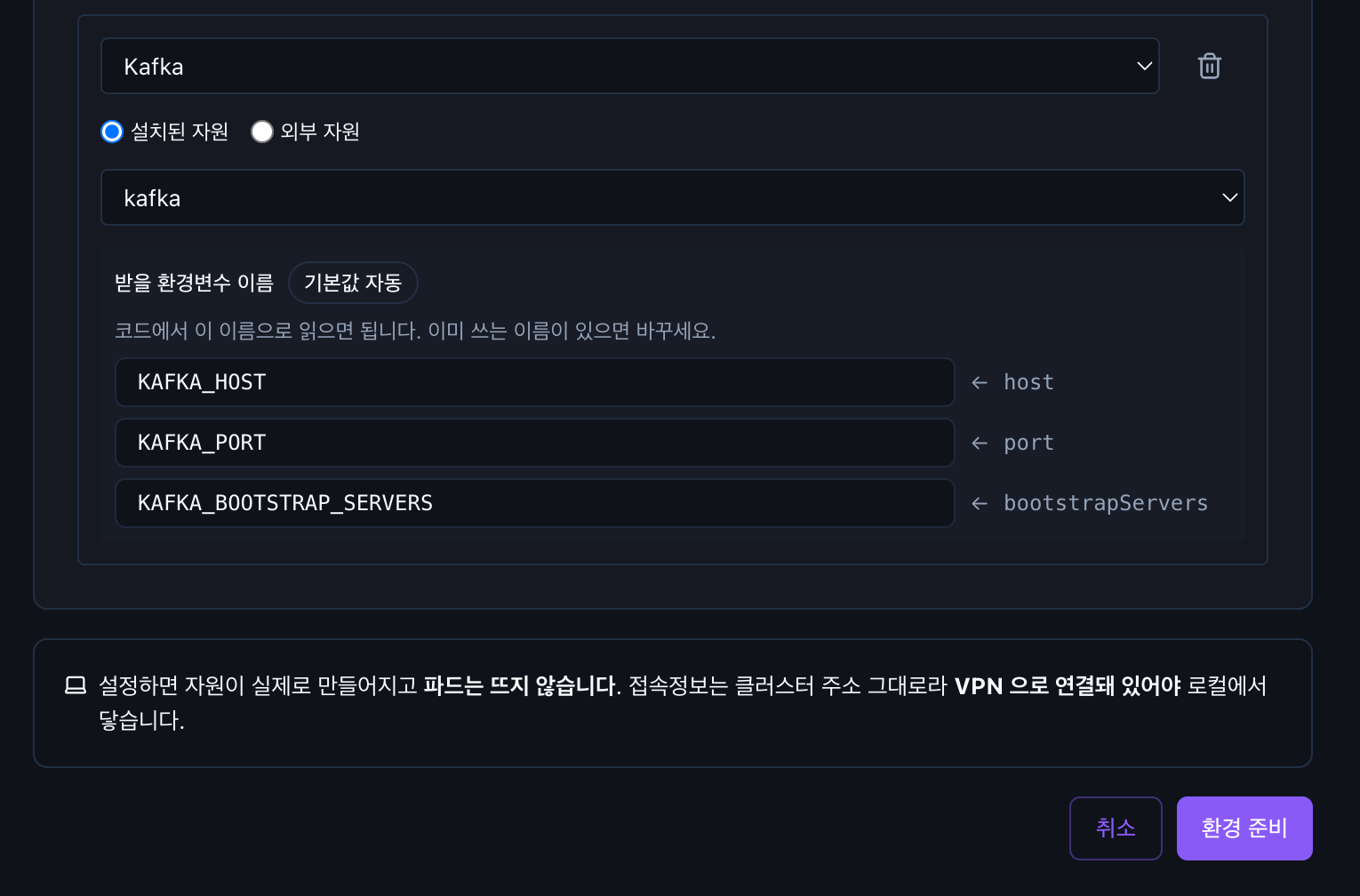
It is exactly as the screen says — "코드에서 이 이름으로 읽으면 됩니다. 이미 쓰는 이름이 있으면 바꾸세요." (Read these names in your code. If you already use a different name, change it.)
If you already use a different name, change it in that field. Values arrive under the name you set, so there is no need to change your code or configuration files.
When a value changes, the app restarts on its own. Values such as passwords are not shown on screen again; they are passed only to the app.
It works the same no matter what you attach
| What you choose | |
|---|---|
| 새로 설치 (Install new) | Installs a new one right there |
| 설치된 자원 (Installed resource) | A PostgreSQL · Redis, etc. you already installed → Chapter 5 |
| 외부 자원 (External resource) | Something outside, such as a cloud DB · S3 → Chapter 7 |
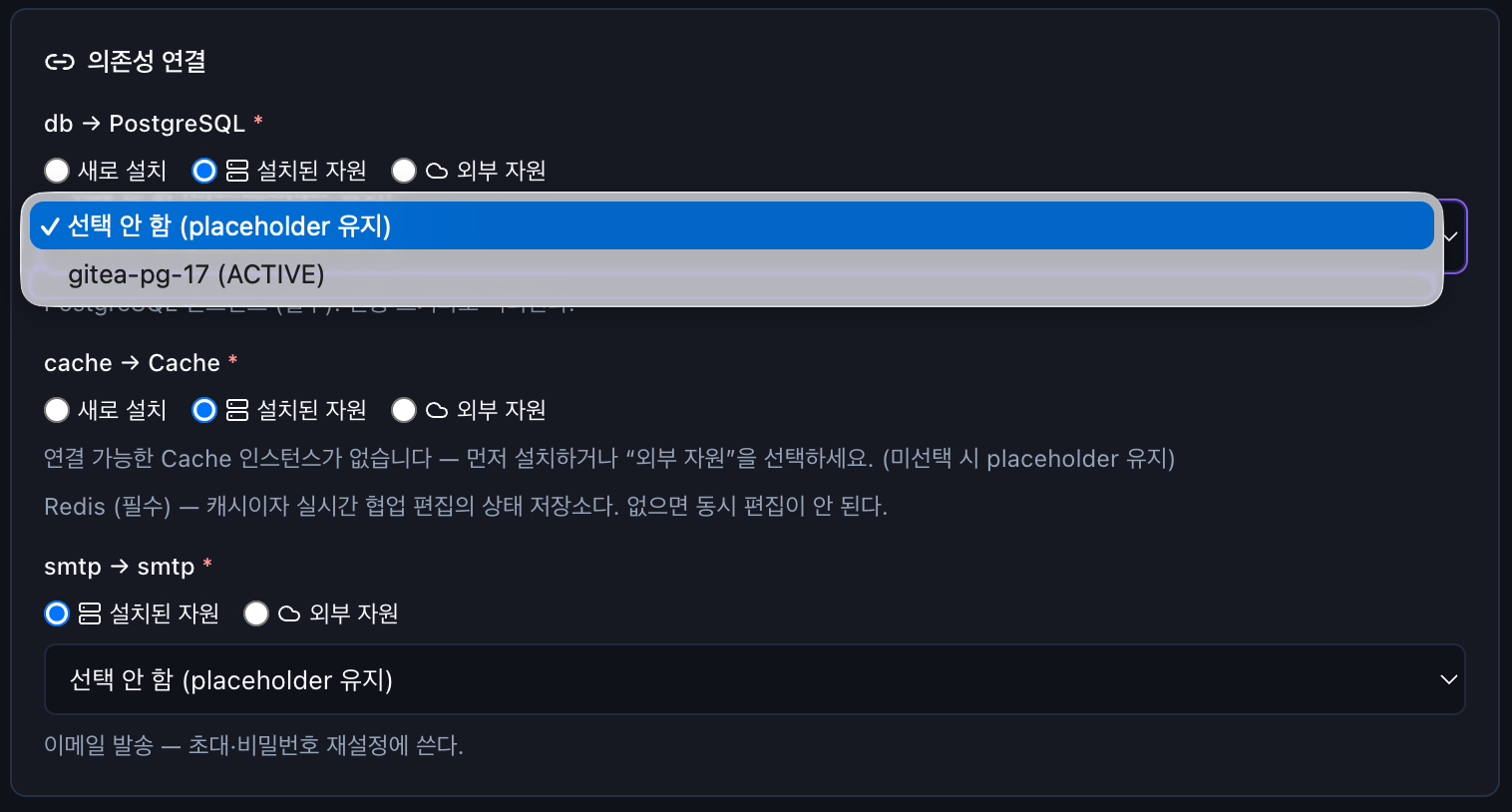
The app does not know which one it is. All three arrive under the same names, so if you later move from the cloud to in-house or the other way around, you do not change the app.
You do not have to decide now. If you leave it as 선택 안 함 (None), only the slot is reserved and you can fill it in later.
To change it after creation, go to 앱 → 설정 → 의존 자원 설정 (App → Settings → Dependency settings). → Chapter 6 · Changing a connection later
Permissions and space are separate for each app
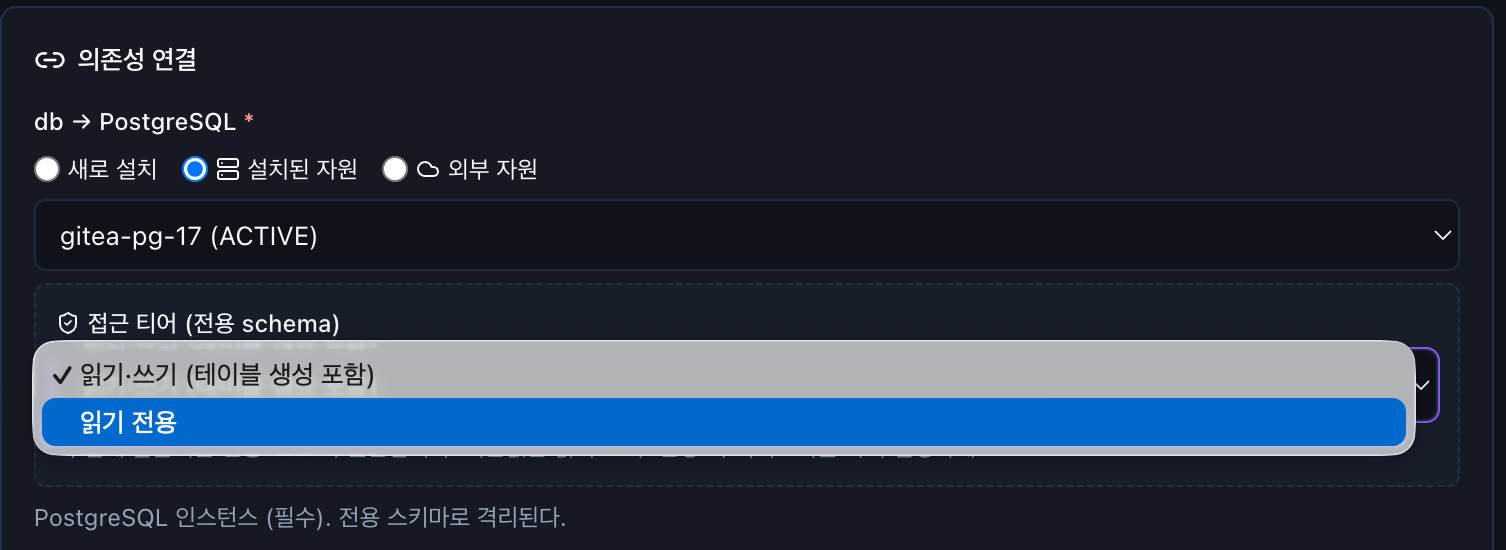
Even when apps attach to the same database, you choose for each app at connection time whether it is read-only or read-write. Each app also gets its own account and space, so it cannot see other apps' data.
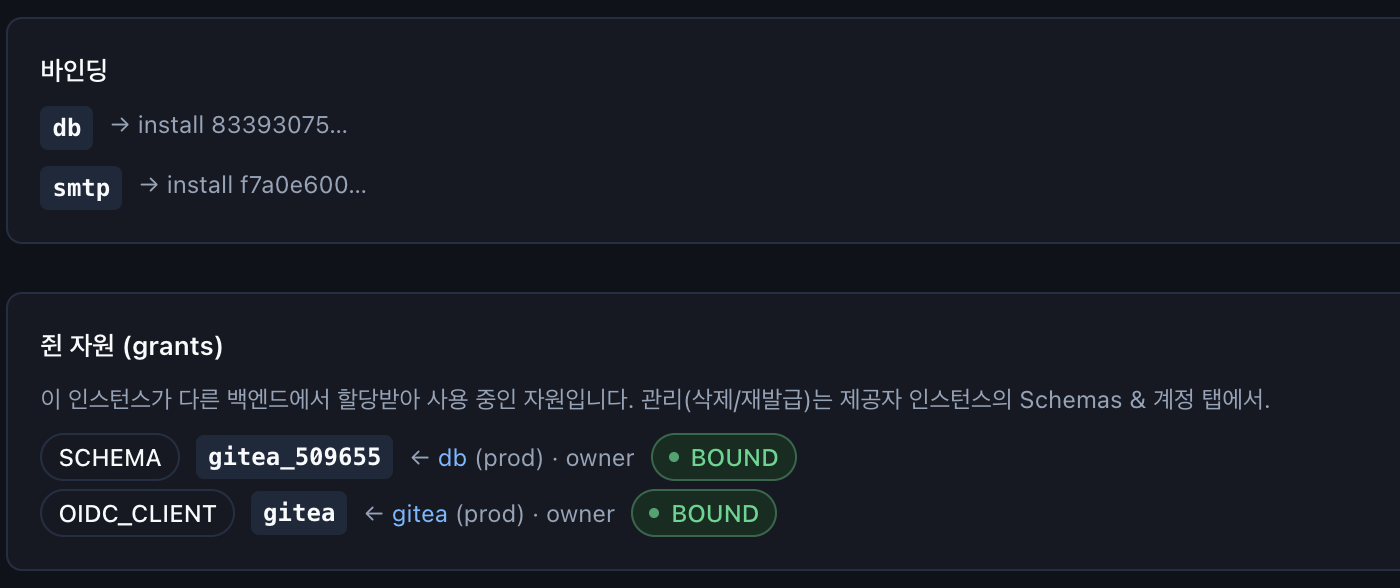
What an app receives is shown in 쥔 자원(grants) (Held resources). BOUND means it is actually attached.
It differs by resource type. Some resources, such as message queues, have no tier choice, and message queues currently share one account — do not design on the assumption that each app gets its own.
Some things are up to the app
A message queue's topic name and consumer group are not passed in — the app decides them.
Nothing stops consumer group names from colliding
If two apps use the same group name, they attach without any error and from then on split the messages — it looks as if one side processes only half of them.
Give each app a different group name; using the app name as-is is the safest choice.
What is guarded automatically
| It cannot be deleted while in use | If you try to delete it, a list of who is using it is shown |
| Passwords are not changed carelessly | Re-applying the configuration keeps the existing password |
| Only matching types attach | You cannot plug storage into a database slot |
dev and prod do not mix | Structurally, a dev app never attaches to a prod resource |
When a connection does not work
The connection test on the registration screen is sent from the PaaS side, so there are cases where the test passes but only the app fails.
By default, outbound traffic from a project is blocked. If only the app fails when attaching to an external resource, check that path first. → Chapter 7