

Extending an LVM disk
Sometimes you allocate a 100GB disk but can actually use only half of it.
This is because Ubuntu installer's guided LVM allocates only part to the logical volume even when you select the whole disk. It's already visible on the install screen — the part left as free space is it.
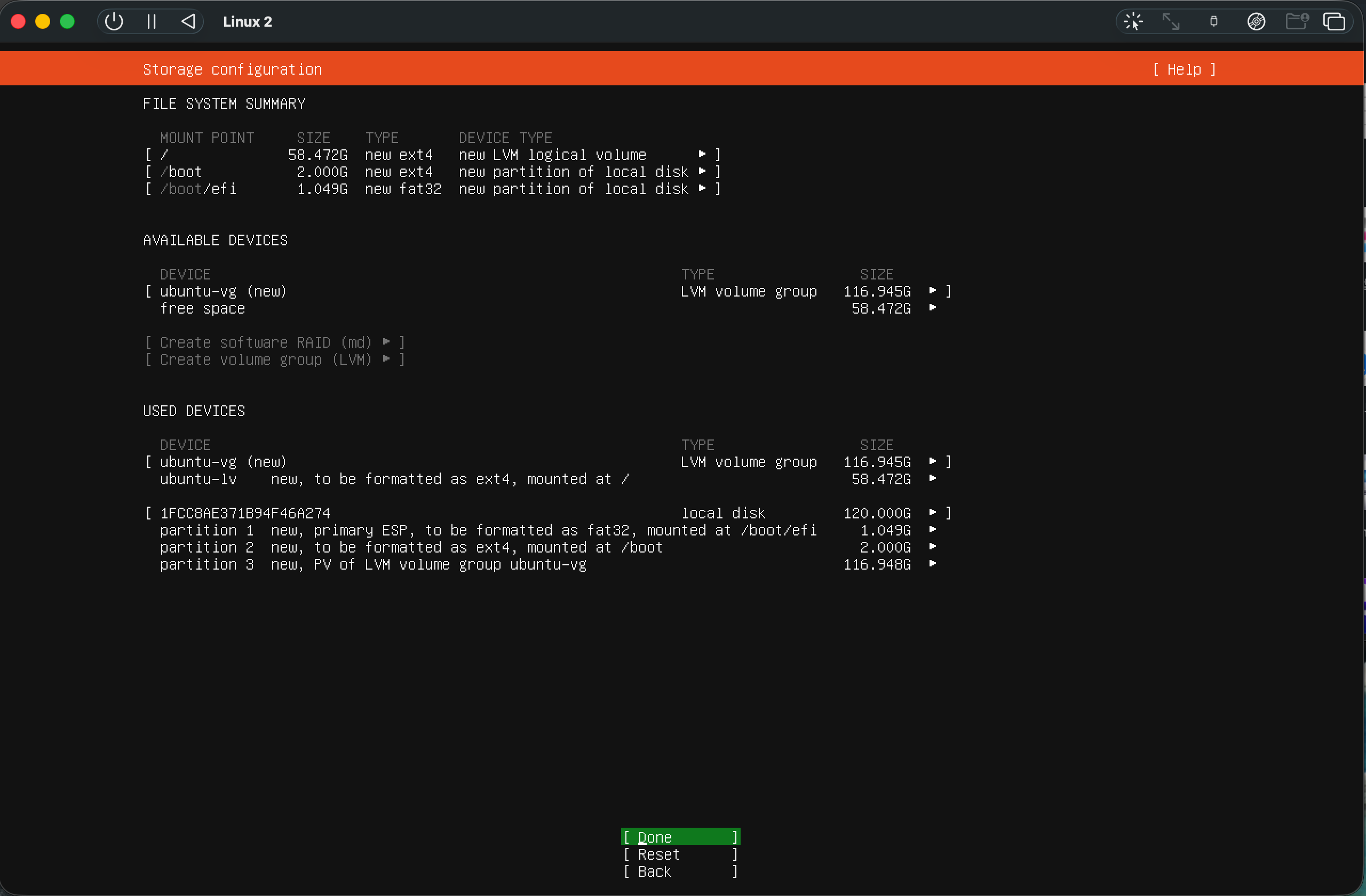
If you set the logical volume size to the maximum during installation, you don't need this page.
Check
bash
df -h /          # the size you can actually use
sudo vgs         # if VFree shows remaining space, allocation is incomplete
If VFree is 0, everything is already in use, so you're done here.
Extend
bash
sudo lvs                                              # check the volume name
sudo lvextend -l +100%FREE /dev/ubuntu-vg/ubuntu-lv   # allocate all remaining space
sudo resize2fs /dev/ubuntu-vg/ubuntu-lv               # grow the filesystem to match
df -h / # confirm it grew- Volume names differ by environment. Use the name you saw in
sudo lvs. - If the filesystem is XFS, replace the second-to-last line with
sudo xfs_growfs /. (You can check withdf -T /.)
No need to take services down
Extending works while mounted. Shrinking is different, though — if you need to shrink, back up your data first.