

UTM bridged network
This page is needed only when you serve directly on a public IP.
In most cases, leave the defaults
If you expose through our tunnel or only try it on your own computer, the UTM default (Shared Network) is right. With the tunnel, the server connects outward, so certificates are not issued on the server, and the problem below never occurs.
When serving directly, you must switch to Bridged. With the default, certificate issuance fails.
Why NAT doesn't work for direct serving
UTM's NAT resolves names through a lightweight DNS proxy running inside the Mac. This proxy answers only some query types correctly — for the same name, TXT queries work but only SOA queries fail.
The certificate issuer uses SOA to decide "which domain zone does this name belong to", so it stops right there. The symptom is intermittent and the log only says "DNS failure", so you can't tell whether the settings are wrong or you just need to wait.
We actually lost time to this problem, and it has not recurred since we switched to bridged.
How to switch
Make the change while the virtual machine is powered off.
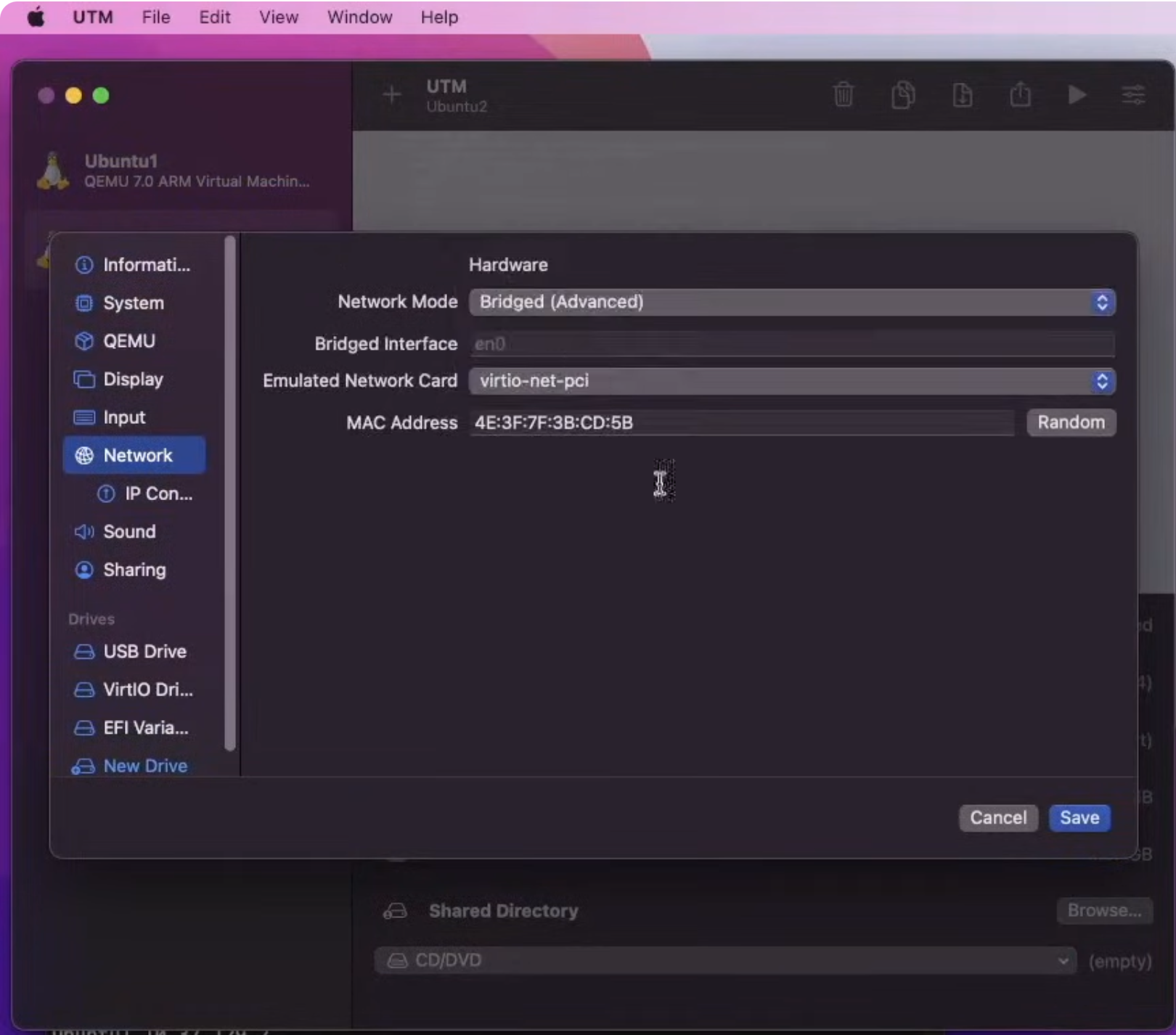
- In UTM, select the virtual machine → Settings (∨ icon) at the top right
- Network in the left list
- Change Network Mode from
Shared Network→Bridged (Advanced) - Set Bridged Interface to the network card the Mac actually uses
- Usually
en0for wired; the Wi-Fi adapter for Wi-Fi
- Usually
- Save and start the virtual machine
Checking after the switch
Once bridged, the server gets its own IP directly from the router — that is, it's in the same address range as the Mac.
ip addr show          # did it get an address in the router's range (e.g. 192.168.0.x)?
ping -c 2 1.1.1.1     # can it reach the outside?
The address changes, and may keep changing
Switching from NAT to bridged changes the server IP — if you set up SSH config or port forwarding with the old address, update those too.
And in bridged mode the router hands out addresses, so it may change again in the future.Pin the address so port forwarding doesn't drift. → Router settings
Some Macs can't bridge over Wi-Fi
In some environments bridging does not work with the Wi-Fi adapter. Connect by wire, or if that's difficult, we recommend moving the server to separate hardware.