

Router settings
These settings pin the server's address and forward incoming connections from outside to the server.
You don't need this page if you use the tunnel
The server connects outward, so nothing needs to be done on the router. → Chapter 9
Pinning the server address
Reserve it on the router. This feature binds an IP to the server's MAC address.
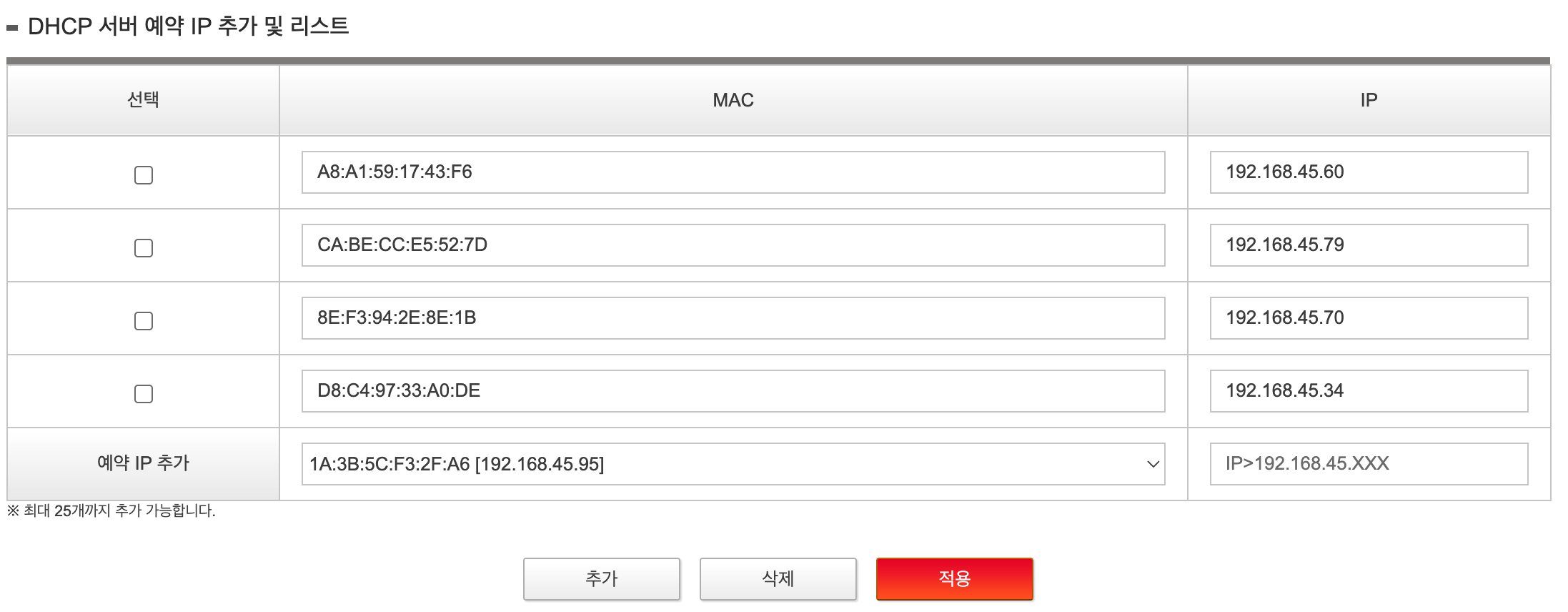
Open the list on the 예약 IP 추가 (Add reserved IP) row and the devices currently connected appear as MAC [current IP]. Pick the server, enter the IP to use, then 추가 → 적용 (Add → Apply).
Using the address the server has right now is the safest choice — it is already a value that doesn't collide. If you want a different value, pick one outside the range the router hands out automatically.
Don't hard-code it on the server. The router doesn't know that address is in use, so it later hands the same address to another device, and because the symptoms are intermittent the cause is hard to find.
The screen differs by manufacturer (the one above is SK broadband). The menu is named one of DHCP 예약 (DHCP reservation) · 고정 할당 (Static assignment) · 수동 IP 할당 (Manual IP assignment) · Address Reservation. You can also see the MAC address on the server with ip link show.
This is not an installation requirement — you can leave DHCP as it is and install.
Exposing ports (port forwarding)
Needed only when you serve directly on a public IP. Create two rules.
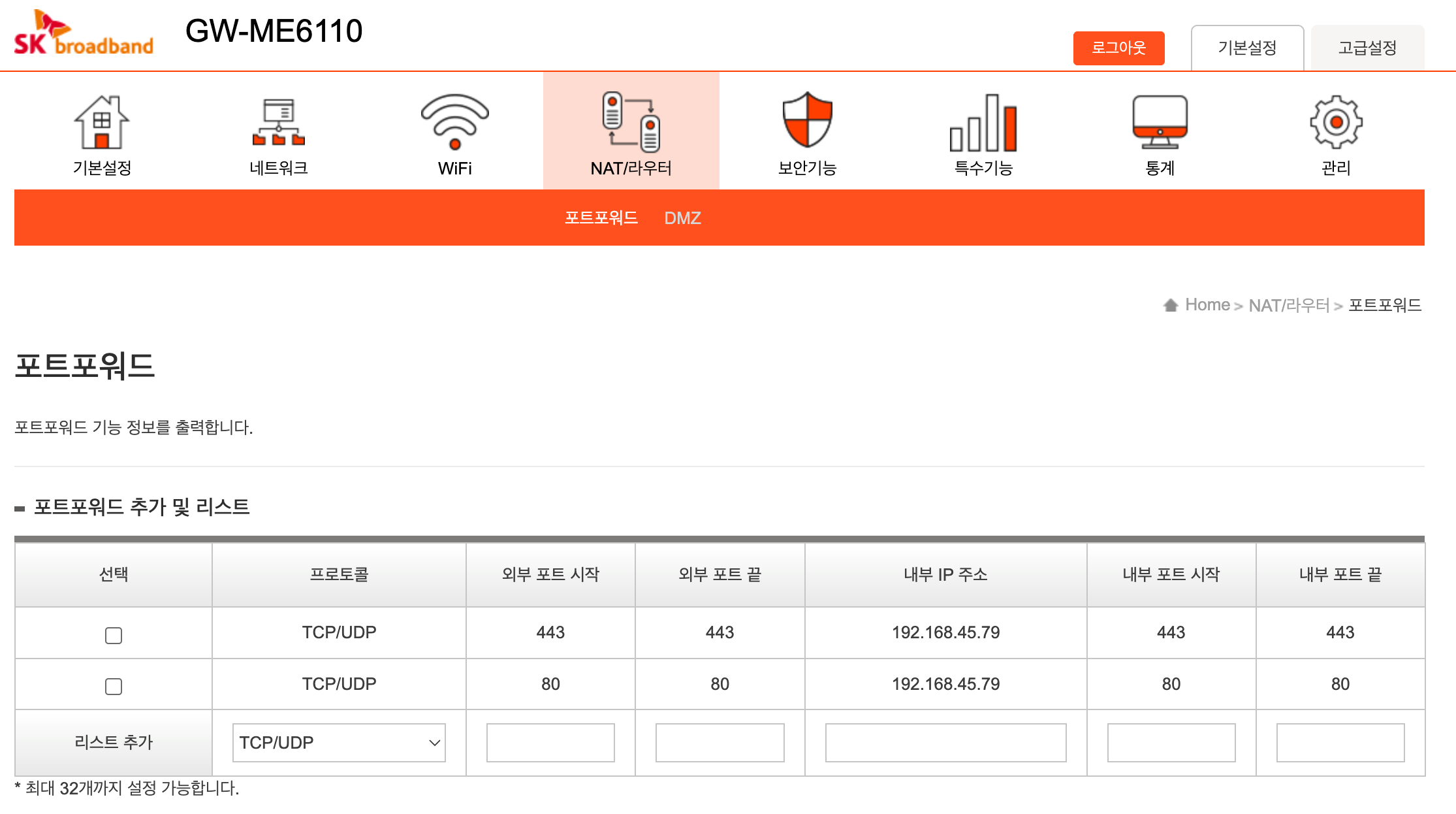
| Protocol | External port | Internal IP address | Internal port |
|---|---|---|---|
| TCP/UDP | 443 | server address | 443 |
| TCP/UDP | 80 | server address | 80 |
443 carries the actual traffic; 80 is for redirects. If you installed without a Cloudflare token, 80 is also required for certificate issuance — the certificate authority verifies through that port.
Pin the address first
Forwarding is set by address. If the server gets a different address from DHCP, the rule points at the wrong device, and the only symptom is "it doesn't open from outside". → Section above
Home connections may block port 80
Some ISPs block inbound 80, and you can't lift that with settings. If it still doesn't open after setting up forwarding, suspect the line.